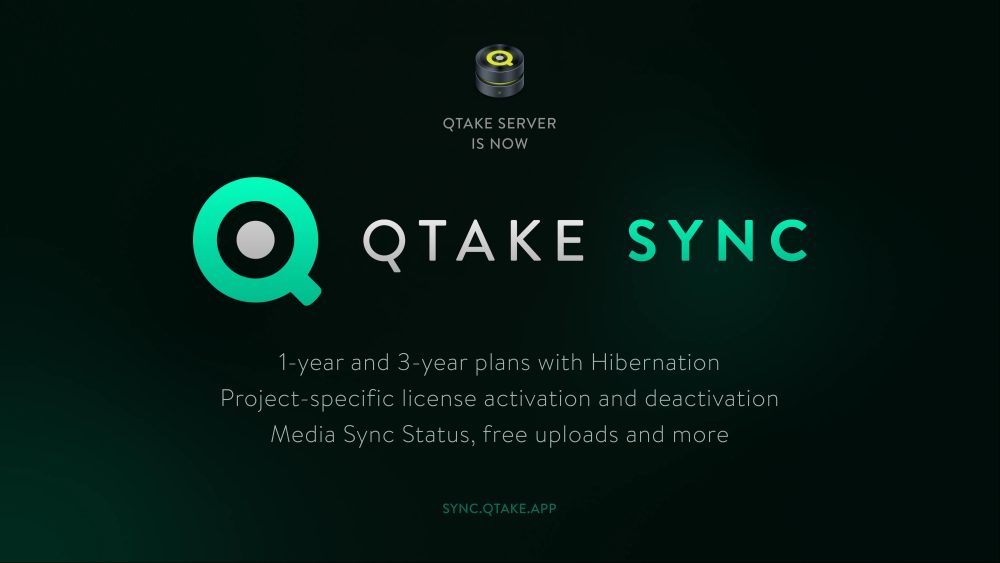
QTAKE Server has been renamed to QTAKE Sync to better reflect its core purpose: the synchronization of media assets and metadata across devices and production units. QTAKE Sync enables teams to make informed decisions on set by providing immediate access to production data, rather than relying on information that reaches departments hours or days later.
QTAKE Sync introduces a new licensing model designed to improve cost efficiency for productions, several enhancements focused on optimizing creative workflows as well as a new website.
New Licensing Model
QTAKE Sync has transitioned from the legacy configurator to the new licensing system already familiar to QTAKE Pro users. This change does not affect software compatibility and introduces several practical improvements.
License Activation and Deactivation
- During the ordering process, licenses can now be assigned to specific operators for activation, rather than being locked to a particular hardware ID such as a dongle or computer.
- On computers with Secure Enclave support (all Apple silicon Macs and most recent Intel-based Macs with T1 or T2 chips), licenses can be deactivated and moved to another computer when needed.
Project-Specific Licensing
- QTAKE Sync now supports project-specific licensing, allowing an eligible operator to decide which project a license is activated for. This removes the previous limitation where only one QTAKE project could be activated per computer. As a result, multiple QTAKE Sync licenses can now be activated on a single computer, with users choosing which modules are assigned to which projects.
- Project-specific licensing also includes an optional active-project-only mode. In this mode, the license is automatically applied to the currently active project. This is particularly useful for commercial workflows with frequently changing projects, as it eliminates the need for manual deactivation and reactivation. It also provides a practical workaround on computers without Secure Enclave support – such as older Smart Assist models – where license deactivation is not available.
1-year and 3-year Plans with Hibernation
QTAKE Sync modules are now available under cost-effective one-year and three-year rental plans, including support for the Hibernation feature. Pricing for these long-term rentals can be calculated online, and orders can be placed through official QTAKE resellers.
New Features and Improvements
The new release also introduces several improvements across the QTAKE Sync feature set.
Media Sync Status
The new Media Sync Status feature provides a clear overview of where each media file is currently stored, allowing users to easily track synchronization across units. When sharing clips with another system, users can quickly confirm whether all files have been successfully synchronized.
Free Uploads of Assets
QTAKE Sync now allows free asset uploads without a paid license. In addition, users can work with the first 30 clips per project at no cost, including playback, review, export, and annotation. This change introduces several practical benefits:
- QTAKE Sync no longer requires a separate trial version. Since users can upload an unlimited number of assets and fully work with the first 30 clips for free, the standard application can be used both for evaluation and – when licensed – for proper on-set operation.
- Projects can be prepared in advance without activating a paid license. Assets can be uploaded ahead of time, and a license can be applied later when full functionality is required. This avoids paying for a license on days when only asset preparation is needed.
- In multi-unit productions, a second unit can upload clips for review by the main unit without holding its own QTAKE Sync license. Provided that the main unit is properly licensed, assets uploaded by the second unit can be reviewed by the main unit, reducing licensing costs for units.
Upload Visualization
Upload, download, and export processes now include clear progress indicators directly in the user interface. These progress bars provide immediate feedback on the status of each operation, making media transfers easier to monitor and manage.
Product Website
Along with the service rename and refreshed QTAKE Sync logo – which now matches the key QTAKE ecosystem app with the familiar Q-icon – we are also launching a new product website. Fully redesigned and moved to a new address, the updated site provides an overview of the service, its features, and relevant resources. For more information, visit the new product website at sync.qtake.app.
Compatibility
QTAKE Sync vs. QTAKE Server
QTAKE Sync is a separate application from QTAKE Server, and both applications can be installed and used side by side on the same system. If you currently have an active QTAKE Server license, it is recommended to continue using the QTAKE Server application with that license. Once a QTAKE Server license expires, you can transition to the QTAKE Sync application and order a license extension for your project through the new license configurator, as the legacy configurator no longer offers QTAKE Server licenses.
Both applications are fully compatible with existing projects and can open the same project data, so no migration or export is required. The only requirement is to run the application that corresponds to your license:
- QTAKE Server licenses ordered through the legacy (1.x) configurator are used with the QTAKE Server application.
- QTAKE Sync licenses ordered through the new license configurator are used with the QTAKE Sync application.
QTAKE Pro vs. Legacy QTAKE
The new QTAKE Sync application integrates seamlessly with both generations of QTAKE Video Assist – QTAKE Pro as well as legacy QTAKE systems – provided that system requirements are met.
Availability
QTAKE Sync is available immediately. The installer can be downloaded from the QTAKE Rental Shop via the user dashboard. If you experience any issues accessing the download link, please contact QTAKE support or your QTAKE reseller for assistance.