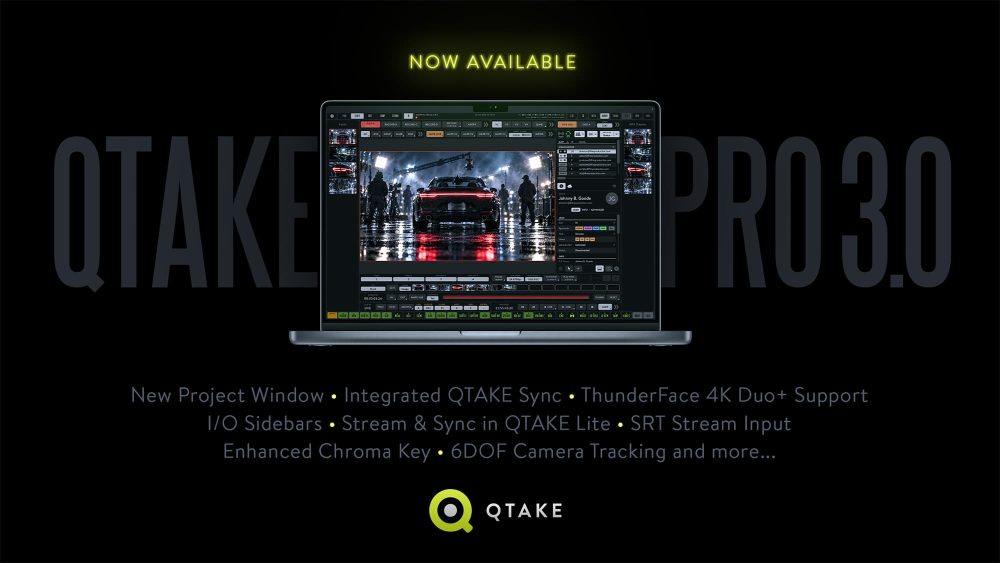
We’re excited to announce QTAKE Pro 3.0, introducing several major features, detailed below, alongside a range of additional enhancements designed to make everyday workflows more efficient.
These include a more customizable user interface, with a dedicated UI toolbar for adjusting color schemes, outlines, and UI scale, as well as right-click support as an alternative to the existing long-click interaction. Together, these refinements give users more control over how they interact with QTAKE and help tailor the interface to their preferences and working style.
QTAKE Pro 3.0 also marks an important milestone under the hood with an improved licensing engine. For users renting licenses or using free licenses from their purchased license pool, this change happens entirely in the background and requires no action. For users with a currently active QTAKE Pro license on their computer, the transition is just as straightforward: the new licensing system is initialized automatically when they launch QTAKE Pro 3.0.
New Project Window
The completely redesigned Project Window brings greater flexibility to video I/O configuration, allowing you to mix & match video cards from different vendors and configure them to suit your production setup, from simple to complex multi-channel workflows. All settings are accessible from a single window, eliminating the need to switch between tabs.
The Project Window also centralizes project-specific settings, such as color bit depth and proxy settings. Unlike system-wide Preferences, which apply across your QTAKE environment, these settings can be adjusted to meet the requirements of each individual project.
You can also customize the Project Window by hiding rows of cells that are not relevant to your current configuration, keeping the interface easy to navigate even when configuring complex projects. The result is a more flexible and intuitive way to prepare QTAKE projects for a wide range of production requirements.
Integrated QTAKE Sync
QTAKE Sync enables independent playback for every authorized crew member running the QTAKE Monitor app. Synchronization of project updates works in real time, giving users access to recorded clips, metadata, and annotations across connected devices. It can operate over a local network without an internet connection and synchronize changes with remote users when connectivity becomes available.
Integrating QTAKE Sync and introducing several enhancements to user management aim to make QTAKE operators day-to-day work on set easier. Operators can now onboard users for just one application and approve users for sync alongside streaming with just one additional click, using the same familiar access control interface.
Moreover, approvals are now linked to user accounts rather than individual devices, allowing users to switch between their authorized devices without requiring further operator intervention, up to their assigned device limit. Operators can now also pin important users to the top of the list or filter users by approval status, keeping essential controls readily accessible even on busy sets.
The standalone QTAKE Sync application remains available alongside the new integrated version. In license-free mode it is still the ideal choice for initial project setup and free upload of assets to a project. In licensed mode, it is perfect for multi-node workflows in which, for example, VFX or editorial teams automatically receive clips from the set and upload edited versions for the director’s review.
When purchasing a SYNC module license in the QTAKE Rental Shop, make sure to select the correct application (QTAKE Sync or QTAKE Pro), as licenses cannot be transferred between applications later.
Promotional Offer:
To help you experience integrated QTAKE Sync on your next production, we're offering free SYNC module licenses, valid through December 31, 2026. The earlier you get yours, the more time you'll have to put it to work on set. Each user account can receive one license, so request your free license today while they're still available!
ThunderFace 4K Duo+ Support
QTAKE Pro 3.0 adds support for ThunderFace 4K Duo+, the latest evolution of the popular Duo model. Combining video input and output in a single device, Duo+ eliminates the need for separate capture and output cards, providing a flexible solution for a wide range of production setups. With QTAKE Pro 3.0, users can choose between 4/4 firmware, supporting up to four IN and four OUT, and 0/8 firmware, which configures Duo+ as an output-only device with up to eight OUT.
With QTAKE Pro 3.0, eligible ThunderFace 4K Duo owners can also receive a free software update that adds Duo+ input/output capabilities to their previously output-only devices. To check whether your device qualifies, send us its serial number. Paid upgrades, including aluminium enclosure upgrades, are also available. More details will be announced soon.
I/O Sidebars
Using I/O Sidebars, operators can route processed live camera feeds to individual outputs independently of the main workspace, allowing crew members to view live video with color adjustments, OSD information, masks, and frame lines while the operator works with clips or playback.
The I/O sidebars display thumbnail previews of live inputs and outputs, making it easy to monitor multiple channels without leaving the current workspace.
Stream & Sync in QTAKE Lite
QTAKE Lite is an affordable bundle of pre-selected features for monitoring and recording workflows in professional video assist. With dual-channel SD/HD recording, camera-triggered auto-record, metadata capture, flexible playback options, markers, and import/export options, it provides a practical solution for essential day-to-day on-set work.
Now, QTAKE Lite takes another step forward with local and cloud streaming to up to eight devices and support for uploading to QTAKE Cloud, making it suitable for integration into collaborative workflows and larger productions.
All these additions come at no extra cost. QTAKE Lite retains its existing pricing, with short-term as well as long-term licensing options. Like all long-term QTAKE Pro plans, QTAKE Lite’s one-year and three-year plans also include Hibernation. This unique QTAKE Pro feature extends the plan’s validity by 30 days when it is not used for 30 days, reflecting our commitment to supporting QTAKE operators even during long-term work interruptions.
SRT Stream Input
QTAKE supports a wide range of video sources, from SDI, NDI, QTAKE Stream, and Cube to system cameras, UVC devices, and desktop capture for remote collaboration workflows. With ultra-low-latency bidirectional streaming, recording, frame-based annotations, and drawinvg tools, directors and DPs can already participate in remote grading and editing sessions from anywhere in the world as if they were in the same room.
With the addition of SRT Stream input, QTAKE’s streaming flexibility expands further, enabling secure, reliable, low-latency video feeds from local and remote sources over IP networks.
Enhanced Chroma Key
Widely used on major productions, QTAKE already delivers high-quality keying that preserves delicate hair detail, semi-transparent areas, and natural shadows. Two new processing options take this further: Chroma Subsampling and Matte Choker. Together, they provide more refined edge control, cleaner composites, and more accurate color keying, helping video assist operators deliver increasingly realistic chroma key results directly on set.
Slate & OSD AI Scan
From auto-record to auto-slate, QTAKE continues to reduce repetitive tasks for video assist operators. Introducing its first AI-powered features, Slate Scan and OSD Scan, QTAKE can automatically extract metadata from physical slates and camera on-screen displays, helping keep clip information accurate without relying on ancillary data that may not pass through wireless SDI transmitters.
Instead of manually entering metadata, operators can let AI handle the initial recognition and review the results, with full control to edit the information whenever needed. This streamlines clip logging while keeping operators in charge of the final data.
Designed with confidentiality and efficiency in mind, the AI processing uses local models within Apple’s ecosystem, keeping the analysis on the device and helping protect pre-release content.
Tip:
For productions that want to preserve metadata transmission over wireless SDI, we recommend the MetaCoder device. Learn more.
6DOF Camera Tracking
When working with 3D scenes imported into QTAKE, accurate camera tracking helps the crew see how virtual and physical objects interact. Previously, QTAKE supported 3DOF tracking, capturing camera rotation (pan, tilt, and roll). 6DOF tracking adds positional data to rotation tracking, capturing the camera’s real-time position and rotation. This enables accurate virtual camera matching, seamless CGI integration, and live VFX previews that respond to camera movement, helping crews evaluate how virtual elements align with the production environment.
The setup remains straightforward: an iPhone running QTAKE Monitor 4.0 or later, with device orientation enabled, mounted on the camera rig. For many productions, this provides an accessible alternative to dedicated, expensive camera tracking systems.
Availability
QTAKE Pro 3.0 is available now as a free update for QTAKE Pro users.
If you have any questions or feedback, please get in touch with our team.
We look forward to hearing from you!